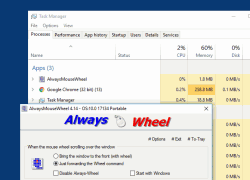
Scroll via mouse wheel even if the window is not in the foreground ergo focused!
Update on: 23 October 2025
Suitable for : Windows 11, Windows 10, 8.1, 7, ... , Server 2012-2025, 2022, x64, x32, x86
Scroll via mouse wheel even if the window is not in the foreground ergo focused.
Always Mouse Wheel is a small portable Windows program this gives you the possibility when using the mouse wheel over any window (under the mouse pointer) to scroll via mouse wheel even if the window is not in the foreground e.g focused.
Key Features in Always Mouse Wheel
◆ Send scroll commands to windows in the background
◆ Optional: brings the wheel window to the foreground.
◆ [Alt + left mouse button] to move the windows by dragging
◆ [Alt + right mouse button] to change the windows size
◆ Horizontal scrolling
◆ Volume control when the mouse wheel on the taskbar
Other Specifications:
◆ Freeware
◆ Low CPU and Resource usage
◆ Extremely small in size
◆ Portable
◆ Multilingual
Easy to use, with great benefits
The program allows optionally: brings the wheel window to the foreground.
The inspiration was an user suggestion from Q-Dir 3.73 internal function. But this is a system-wide function for all Windows x64 and x32 systems without DLL and as a portable tool.
So you save a couple of clicks, or switching between windows.
The installation and removal
Always Mouse Wheel does not need to be installed, it can be easily started from the desktop without installation and can be used immediately on all Windows operating systems. Simply download the archive place by copy / paste on the desktop and start to use. If the program is not good for you, just quit the program and delete the AlwaysMouseWheel.exe.
Tip:
The AlwaysMouseWheel is absolutely sufficient, if you are familiar with portable applications, you can also use the Portable version. The x64 does not currently offer any functional advantages in this program, so the x32 can be used conveniently on al OS.
Supported Operating Systems
Always Mouse Wheel feature is Suitable for: Windows 12, Windows 11, Windows 10, Windows 10 Pro, Windows 10 Enterprise, Windows 10 Home, Windows 8.1, Windows 8.1 Enterprise and Pro, Windows 8, Windows 8 Enterprise and Pro, Windows 7, Windows 7 Enterprise, Windows 7 Home Basic, Windows 7 Home Premium + Professional, Windows 7 Starter + Ultimate, , X64, x86 and x32 all Windows, MS Windows Server 2019, 2016,2012, .
| # AlwaysMouseWheel Versions History |
| New in version 6.55 // 23 October 2025 Minor bug fixes in the Always-Mouse-Wheel application for Windows 11 and 10 operating systems due to Smart Screen Lock. Important update to the language file in the Mouse Wheel app |
| New in version 6.44 // 17 July 2025 Updated language files in the Always-Mouse-Wheel tool for all MS Windows versions. Necessary adjustments for the Always-Mouse-Wheel app. |
| New in version 6.41 // 25 February 2025 Update of the language files in the Always-Mouse-Wheel application for all Windows Once again important tests and adjustments for Windows 11 24H2 |
| New in version 6.36 // 24 November 2024 Adjustments in the AlwaysMouseWheel for Dark Theme for the MS Windows 11 and 10 operating systems Necessary adjustments for the Always-Mouse-Wheel APP Updating the language files in the Always-Mouse-Wheel tool for all MS Windows versions |
| New in version 6.32.1 // 19 August 2024 New Code Sign Certificate for AlwaysMouseWheel.exe Necessary adjustments for Windows 11 and 10 made in the Always-Mouse-Wheel APP |
... complete Versions History
| # AlwaysMouseWheel is multilingual and a popular program worldwide: |
| Language | % | Translator Name | |
| 1 | Deutsch / German | 100 % | Nenad Hrg |
| 2 | English / Englisch | 100 % | Nenad Hrg |
| 3 | Russian / Русский | 100 % | |
| 4 | Polnisch / Polski | 100 % | Arek Albiniak |
| 5 | Portuguese / Portuguese | 48 % | Nuno Cruz |
| 6 | Chinese-Simplified / 简体 中文 | 96 % | Zepto Lee |
| 7 | Nederlands / Dutch | 100 % | Fred de Vries |
| 8 | Turkish / Türkçe | 100 % | Fatih Gorgulu |
| 9 | Swedish / Svenska | 100 % | Åke Engelbrektson |
| 10 | Traditional-Chinese / 繁体 中文 | 100 % | Danfong Hsieh |
| 11 | Hungarian / Magyar | 100 % | DoWtHen |
| 12 | French / Français | 100 % | Franck Mouffi,Largo |
| 13 | Italian / Italiano | 100 % | bovirus e Lorenzo Fassina |
| 14 | Serbian / Cрпски | 100 % | OZZII |
| 15 | Romanian / Română | 100 % | Stefan Arhip |
| 16 | Korean / 한국 | 100 % | ZN and 조남호 |
| 17 | Klingon / | 100 % | Mr Worf |
| 18 | Spanish / Español | 100 % | Triote |
| 19 | Thai / ภาษาไทย | 100 % | Chanchana Sornsoontorn |
| 20 | Greek / Ελληνικά | 100 % | George Axaroglou |
| 21 | Mexico / Spanish | 48 % | Alex Delgado |
| 22 | Slovenski / Slovenian | 100 % | Vinko Kastelic |
| 23 | Ukrainian / Українська | 79 % | Johny Zlo |
| 24 | Czech / Český | 100 % | Milan Jaroš |
| 25 | Brazilian-Portuguese / Português do Brasil | 100 % | Bacco |
| 26 | Danish / Dansk | 75 % | Kim Christensen |
| 27 | Japanese / 日本 | 100 % | Satoushi, maboroshin |
| 28 | Bulgarian / Български | 100 % | ^^V^^ |
| 29 | Spanish-VE / Venezuela | 100 % | Ricardo A. Rivas |
| 30 | Hebrew / עברית | 100 % | DJ Israel |
| 31 | Hindi / हिन्दी | 96 % | The Hindi Man |
| 32 | Vietnamese / Tiếng Việt (Việt Nam) | 100 % | Huy |
| 33 | Malay / Malaysia | 100 % | Washington |
| 34 | Indonesian / Indonesia | 100 % | Indonesian Super Girl |
| 35 | Filipino / Pilipino | 100 % | Abraham Lincoln |
| 36 | Finnish / Suomi | 100 % | Otto |
- How can I use the mouse wheel scroll function for web pages and documents at the same time?
- What are the best tips to optimize the scrolling function in the Windows 10, 11 and 12 operating system?
- How can I use mouse wheel tools to improve my user experience in Windows 10, 11 and 12?
- Mouse hover scroll Windows 11, 10, 8.1, ...?
- How can I anderstand the benefits of mouse wheel tools compared to traditional scrolling methods?
- Can I use a mouse wheel tool to make multitasking more efficient?
- How can I adjust my mouse wheel settings to suit the needs of my work style?
- How can a mouse wheel tool help you focus better on complex tasks?
- How does the configuration of a mouse wheel tool affect productivity in daily work?
- Windows 11, 10, 8.1, ... scroll wheel on hover?
- How can I combine mouse wheel tools with other software applications to maximize the benefits?
- How can I improve the integration of mouse wheel commands into my daily workflows?
- allways mousewheel?
- How can I customize mouse wheel commands to make it easier to navigate online databases?
- Windows 11, 10, 8.1, ... scroll without focus?
- How can a mouse wheel tool make it easier to use social media while working?
- How can I use the mouse wheel function to navigate between different documents faster?
- How do mouse wheel tools help you work with Office applications?
- How can I optimize the performance of my mouse wheel on Windows 10, 11 and 12?
- How do I choose the best mouse wheel tool for my professional needs?
- Windows 11, 10, 8.1, ... mouse on inactive window?
- How do mouse wheel tools help with the use of programming environments in Windows 10, 11 and 12?
- What are the benefits of a mouse wheel tool when working with multiple Windows 10, 11 and 12 in Windows 10, 11 and 12?
- What features are most important in a mouse wheel tool for designers?
- Which mouse wheel software is best for creative work with multiple Windows 10, 11 and 12 open?
- What are the most common problems when using mouse wheel tools in Windows 10, 11 and 12?
- How can I extend the functionality of my mouse wheel in Windows 10, 11 and 12?
- Mouseover scrolls?
- What are the differences between different mouse wheel tools on the market?
- Windows 11, 10, 8.1, ..., 10 mousewheel always in focus?
- How does a mouse wheel tool help me increase the efficiency of my daily tasks in Windows 10, 11 and 12?
- How can I optimize the mouse wheel settings for scrolling in PDFs?
- How can I improve the scrolling function of my mouse wheel in Windows 10, 11 and 12?
- How can I customize the mouse wheel control to save time when switching between Windows 10, 11 and 12?
- Windows 11, 10, 8.1, ... utility scroll mouse over?
- How can I adjust the settings for the mouse wheel commands to improve the workflow?
- What are the most common problems that users experience with mouse wheel tools in Windows 10, 11 and 12?
- How does a mouse wheel tool help when using remote desktop applications?
- Windows 11, 10, 8.1, ... mouse over focus, mouse wheel program?
- always scroll windows?
- Use of mouse scroll?
- Scrolen where the mouse pointer is in inactive window?
- How does the function work to send mouse wheel commands to backgroand Windows 10, 11 and 12?
- Windows 11, 10, 8.1, ... mouse scroll wheel focus?
- Scroll wheel onmouseover?
- Always wheel?
- scroll inactive window, New alway wheel=1
- always wheel, windows 8.1 / 10 scroll on mouse hover=1
- What specific features should a good mouse wheel tool for Windows 10, 11 and 12 have?
- Better listview mouse wheel?
- windows 8.1 scroll inactive window=1
- multiple overscroll?
- Hover wheel download?
- How can I achieve the best user experience with a mouse wheel tool in Windows 10, 11 and 12?
- Which free mouse wheel tools are most effective for Windows 10, 11 and 12 users?
- Windows 11, 10, 8.1, ... mousewheel always in focus?
- What are the alternatives to Always Mouse Wheel for Windows 10, 11 and 12 users?
- Scrolen where the mouse pointer is in inactive window?
- Can I use mouse wheel tools in conjunction with touchscreens?
- Can I use a mouse wheel tool to adjust the speed of the scroll commands?
- What challenges can you face when using mouse wheel tools?
- Windows 11, 10, 8.1 scroll on hover?
- Which mouse wheel tools are best for graphics-intensive applications?
- Windows mouse wheel over?
- mouse focuse software=1
- Always mouse?
- Windows 11, 10, 8.1, ..., 10 scroll on mouse over?
- What tools are recommended for using mouse wheel functions in applications that run in the backgroand?
- How can I make the use of mouse wheel commands in presentations more efficient?
- What should I consider when installing a mouse wheel tool on my Windows 10, 11 and 12 PC?
- How can the use of mouse wheel commands be improved when working with large amounts of data?
- Sendmessage mouse wheel?
- Sendmessage mouse wheel when mousewheel inactive window windows?
- How can I optimize scrolling in backgroand applications with a mouse wheel tool?
- How can I configure a mouse wheel tool to use it for games in Windows 10, 11 and 12?
- How can I use scrolling without window activation efficiently with a mouse wheel tool?
- Mouseover Scrolling Windows Server 2012, 2016?
- What are the benefits of a mouse wheel tool for graphic designers who work with multiple Windows 10, 11 and 12?
- What keyboard shortcuts can I use with a mouse wheel tool?
- MOUSEOVER SCROLLING Windows 11, 10, 8.1, ...?
- How can I test the features of mouse wheel tools before installing them?
- How do mouse wheel tools support accessibility in Windows 10, 11 and 12?
- How can I design the integration of a mouse wheel tool into my existing software landscape?
- MOUSE WHEEL SOFTWARE SCROLL WINDOW HOVERING ABOVE=2
- Mousewheel inactive window windows?
- How can I use a mouse wheel tool to improve my gaming experience?
- How do professionals use mouse wheel tools to increase their efficiency?
- What software allows me to scroll in the backgroand with the mouse wheel without switching Windows 10, 11 and 12?
- Windows mouse wheel over?
- What is a mouse wheel tool for Windows 10, 11 and 12 and how can it increase my productivity?
- Is there a way to activate the window with the mouse wheel when I scroll in it?
- Allways mouse wheel?
- What are the benefits of using mouse wheel tools for data analysts?
- Always wheel download?
- Which programs offer the best support for mouse wheel functions in backgroand applications?
- How can a mouse wheel tool make it easier to work with virtual machines in Windows 10, 11 and 12?
- Win 10 mouse scroll on hover?
- How do I choose the best mouse wheel tool for my unique work needs?
- What features make a mouse wheel tool indispensable for office workers?
- How can I customize mouse wheel functions in my Windows 10, 11 and 12 environment?
- How can I customize mouse wheel functions in Windows 10, 11 and 12 to work more efficiently?
- Mouse over window wheel scrolling?
- How can I optimize the use of a mouse wheel tool for web development?
- Mouseover scrolling in Windows-7 and Vista?
- Windows 11, 10, 8.1, ... mouse over focus?
- How can I adjust the scroll speed of my mouse wheel in different applications?
* Scroll via mouse wheel even if the window is not in the foreground ergo focused!
# Thanks+