|
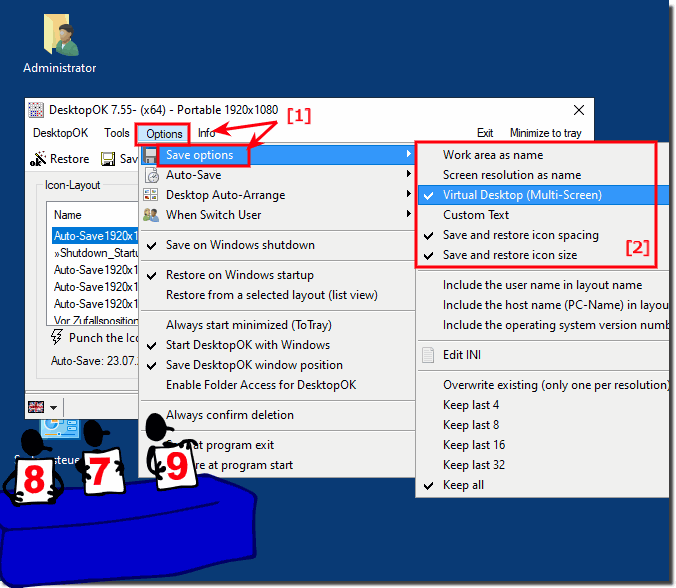
Has DesktopOK Save option for correct layout naming at multi-screens?
| | |
 It is / anti sort, chaos, unsort, confused, disorder and it does not matter whether it is Windows 10, 8.1 or Microsoft Windows Server OS At DesktopOK 1.71 it is possible to save the DesktopOK settings and Desktop Icons Layout in The Windows Registry Similarly, one can now optionally rename It is very easy to switch / change the Language in DesktopOK to English or to Other Language for Windows 11, 10, etc.. Is the same version or download. Please You must activate the Auto-Save feature in DesktopOK , and it does not matter whether it is, Windows 11, 10, 8.1, or MS Server 2019, OS Info: Easy It is easy to save and load the desktop icons position from a file, and it does not matter whether it is Windows 11, 10, 8.1, or MS Server OS Content: Dont use the TEMP folder in Windows, and dont start the DesktopOK.exe from the zip folder. For correct work Please use always the latest version You can use from the DesktopOK version 4.14 wildcards for the save options in the user-defined text on Windows 11, 10, and MS Server %WA% Work area | |
»» My question is not there in the FAQ |
|
|
|
|
|
| | Keywords: desktopok, save, option, correct, layout, naming, multi, screens, windows, 10, 8.1, seven, Questions, Answers, Software
|